Amikoo Guides, Updates & Resources 

Learn how to use AI QA agents to automate, repair, and scale your testing 

Explore step-by-step tutorials, walkthroughs, and practical guides to help you get the most out of Amikoo. Learn how to generate and repair Playwright tests, uncover coverage gaps, and use AI agents to scale your QA workflows faster. 

Account Settings in Amikoo
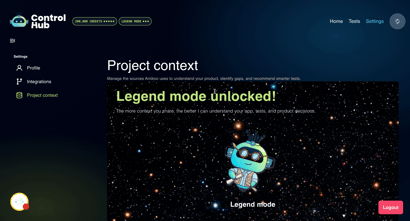
00:00: This tutorial walks you through understanding and managing your account settings. 00:03: You'll learn how to navigate your profile 00:05: information, integrations, and project context to customize your Amikoo experience. 00:12: In this tutorial, you'll get an overview of the Settings page and everything you can 00:15: manage from it. 00:17: From the homepage, find the Settings button in the top-right corner and click it to get started. 00:20: get started. 00:22: The Settings page opens, giving you access to all your account preferences and 00:26: configurations. 00:29: The Settings page is organized into three tabs — Profile, Integrations, and 00:33: Project Context — each covering a different area of your account. 00:37: The Profile tab displays your name and your API key, which is used to authenticate 00:41: your account with Amikoo. 00:44: Your API key is required 00:45: when installing the Amikoo reporter package via NPM, as it allows your execution 00:50: results to be sent to Amikoo by adding your key to the .env file on your repo. 00:55: Click the Integrations tab to view and manage your connected services. 01:00: GitHub is currently the available integration. From here 01:03: you can update your connection, 01:04: add more repositories, reduce access, or keep your current setup — all managed from 01:09: this tab. 01:11: The Project Context tab lets you add or update context for your project. 01:15: If you skipped this step during onboarding, you can complete it here at any time. 01:20: Your current context mode 01:21: reflects how much project context has been provided. 01:24: Legend mode, 01:25: for example, indicates that all available context has been added. 01:29: This section displays your app access, app repository, and test repository all in 01:34: one place. 01:36: If no username appears under App Access, that's expected — credentials are optional 01:40: and not required to proceed. 01:42: You can edit your integrated repository, app repository, and test repository 01:47: directly from this section whenever updates are needed. 01:51: This tutorial walked you through accessing and managing your Amikoo account settings, 01:55: including your profile details, API key, integrations, and project context. 02:01: You can now confidently update your settings and manage your repositories as 02:04: needed.
Get Started With Amikoo: First Interaction
Amikoo Getting Started Guide
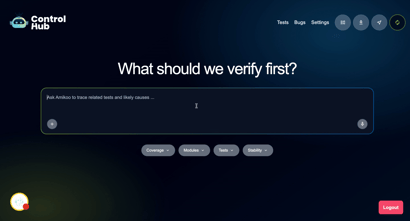
00:00: This tutorial helps you get started with Amikoo by walking you through your first interaction. 00:03: interaction. 00:04: Before beginning, you will need to complete the onboarding to get the most out of 00:08: Amikoo's features. 00:11: After completing onboarding, you're ready for your first interaction with Amikoo. 00:15: The chat interface displays suggested questions to help you get started 00:18: — if you're not sure where to begin, simply click on one. 00:22: Click a suggested question to explore what to focus on first in Amikoo. 00:27: For our first interaction we will ask Amikoo: "Can 00:29: you help me create tests for my application?" 00:38: Amikoo will return feedback on your application's testing setup and what's available 00:42: to work with. 00:44: Amikoo presents multiple testing scenarios tailored to your application. 00:53: Select which areas of your application you'd like to write Playwright tests for. 00:58: Begin with your application's most critical user flows to prioritize the most 01:01: important tests first. 01:05: Amikoo generates three tests ready to execute and add to your test repository for 01:10: ongoing use. 01:16: This is just one of many things you can do with Amikoo — and it's only the start of 01:20: what's possible from your very first interaction. 01:23: If you don't have a test repository connected yet, your tests won't be committed at 01:27: this stage 01:28: — that's okay. 01:29: Once a test repository is connected, you'll be able to commit your tests and open 01:33: pull requests directly from Amikoo. 01:36: This tutorial walked you through your first interaction with Amikoo, from requesting test 01:40: creation to reviewing feedback and exploring testing scenarios. 01:44: You're now ready to manage and execute tests using Amikoo's features.
Amikoo Onboarding Guide
Amikoo onboarding
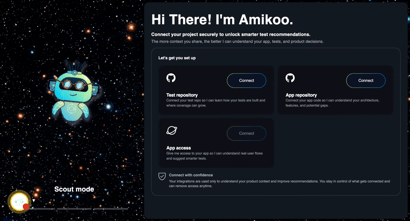
00:00: This tutorial guides you through connecting your GitHub repository to Amikoo and completing 00:04: the initial setup. 00:06: You will learn how to link your Github 00:08: repositories and configure application details. 00:11: Click "Connect" to begin linking 00:13: your Github app repository with Amikoo. 00:16: Click "Connect" again to proceed with the integration setup. 00:20: You will be redirected to Github to authorize Amikoo access to your repository. 00:25: Select the GitHub account for integration. 00:28: Click "Install" to add the AmikooAI application to your GitHub account. 00:33: You can choose to add access to all or some repositories in this screen. 00:38: Click "Use GitHub Mobile" to confirm access through the mobile app. 00:42: Once authorized you will be redirected to the onboarding to continue configuring 00:46: your repository connection. 00:49: Click to choose the repository 00:50: you want to connect with Amikoo. 00:53: Click "Continue" to move forward with the repository configuration process. 00:57: Click on your preferred branch for integration. 01:01: Click "Finish setup" to finalize the repository connection. 01:05: Click "Connect" to link your application to amikoo. It's 01:07: important to note you 01:08: will need an application URL, credentials are optional. 01:13: Enter your application name as "FitHub" in the provided field. 01:16: Enter your application URL in the field. 01:19: Credentials for your application are optional. 01:22: Click "Connect" to finalize your application setup and link it to Amikoo. 01:27: Click "Start exploring" to access the Amikoo platform and begin using its features. 01:33: You have successfully connected your GitHub repository to Amikoo, configured 01:36: your application details, and completed the initial setup. 01:40: You can now start exploring Amikoo's features to manage your projects efficiently.